
Finding a company’s website sounds almost too simple to qualify as research. Type the business name into Google, click the first result, copy the URL, and move on. That works when you’re looking up one well-known company. It becomes a very different job when someone hands you a spreadsheet containing 200, 500, or 5,000 company names.
That is the problem target company url research is designed to solve. The process connects company names with their official domains so sales teams, recruiters, SEO professionals, market researchers, and operations teams can work with cleaner business data.
There is also a dedicated Target Company URL Research website built around this specific task. Its main lookup tool accepts company names in batches, searches for likely domains, provides match information, and allows results to be exported. The site currently says its lookup handles up to 25 company names per run and does not require an account or credit card.
The important part, though, isn’t simply finding a URL. It is finding the correct one.
What does company URL research actually mean?
Company URL research is the process of taking a business name and determining which web domain represents the intended organization.
Imagine an SDR gets this prospect list:
- Mercury
- Atlas
- Summit
- Bolt
- Apex
Those names look clean in a spreadsheet, but they are terrible identifiers. There are multiple legitimate businesses using each of them.
If someone associates the wrong domain with the company, everything that follows can be wrong too: employee counts, industry classification, executives, email addresses, technology information, revenue estimates, and outreach.
A company domain therefore acts as a useful anchor for the rest of the research process.
A typical B2B workflow looks something like:
Company name → official domain → company verification → qualification → contact discovery → outreach
Market research and recruiting workflows follow much the same pattern.
That’s why I would never treat URL identification as disposable data-entry work. A mistake at this stage can contaminate an entire CRM record.
How the Target Company URL Research tool works
The dedicated tool at TargetCompanyURLResearch.com focuses on turning lists of names into possible company domains.
According to its current documentation, users paste one company name per line. The tool cleans common legal suffixes such as LLC, Inc., Ltd., PLC, and GmbH before attempting matches. It then displays the matched company name, domain, a similarity score, and alternative candidates where available. Results can also be exported as a CSV.
Removing legal suffixes is more useful than it might sound.
Suppose a spreadsheet contains:
BrightPath Technologies, Inc.
The company may publicly brand itself simply as:
BrightPath
Search and company databases often perform better against the trading or brand name than a full legal entity name.
The same principle applies to international datasets where records might contain “Pvt Ltd,” “S.A.,” “GmbH,” “Limited,” or other corporate designations.
For a small list of five businesses, manual searching may still be faster. For 100 or more records, structured lookup starts making much more sense.
Why you shouldn’t blindly trust the first URL result
This is where most guides oversimplify the job.
A matching algorithm can tell you that two company names look alike. It cannot always prove that they represent the same organization.
The Target Company URL Research site’s own documentation makes this distinction: its match score measures similarity between the submitted company name and the returned company name rather than proving that a domain belongs to the organization the researcher intended.
That difference matters enormously.
Suppose your list contains “Atlas.”
A database could return a perfectly legitimate company named Atlas with a highly similar name. Unfortunately, your prospect might be an entirely different Atlas operating in another state or industry.
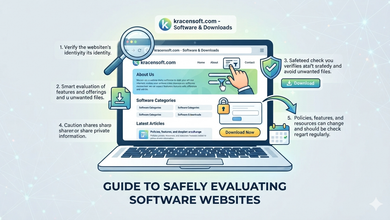
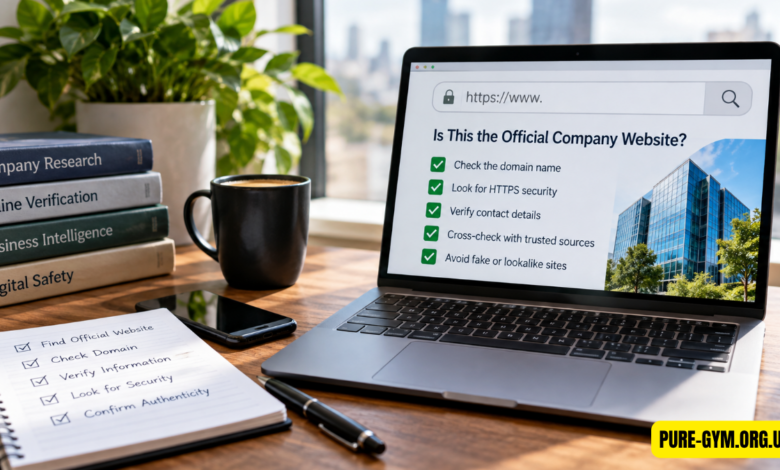
For ambiguous companies, open the website.
Check the homepage, About page, contact information, locations, products, and legal footer. If your spreadsheet says the target is a cybersecurity company in Austin, Texas, and the website sells construction equipment in Ohio, you’ve found the wrong business regardless of how good the name match looked.
For high-value accounts, I would also cross-check LinkedIn, corporate social profiles, SEC filings for public companies, state records where appropriate, or another independent business database.
Automation should narrow the possibilities. Verification should make the final call.
What should you verify before saving a company domain?
The first thing I check is whether the site’s actual business activity matches what I already know about the target.
A domain containing the company name is weak evidence by itself.
Strong signals include matching headquarters information, products, executives, branding, phone numbers, and legal entity details.
Look especially carefully at companies with generic names.
If you’re researching “Summit Financial,” for example, the correct business could be a financial advisory firm in Colorado, a lender in California, or an unrelated regional organization. Saving the wrong domain into Salesforce means enrichment software may happily attach information from the wrong company afterward.
For a list of 1,000 companies, manually reviewing every record may be unrealistic. A better approach is confidence-based verification.
Accept strong, obvious matches after spot checks. Review uncertain matches individually. Flag unresolved companies rather than forcing a URL into the database.
That last part matters. “Unknown” is better data than “confidently wrong.”
Target company URL research for sales prospecting
Sales teams get some of the biggest practical benefits from clean domain data.
Once you know the official website, you can study what the prospect actually sells, who it serves, which markets it operates in, and how your offer might fit.
The pages I find most useful are rarely limited to the homepage.
Product and service pages reveal the core business. Case studies show customer types. Pricing pages can indicate target market and business model. Newsrooms reveal launches, acquisitions, partnerships, and expansion. Careers pages sometimes expose priorities before they become obvious elsewhere.
A software company advertising 35 engineering positions, for instance, gives you a very different signal from one with two open roles.
The tool also includes a careers-page finder. Its documentation explains that this feature builds common careers URL patterns rather than reading live job listings, so some generated links may lead to pages that do not exist.
That’s a sensible distinction. URL discovery can get you to the right company; deeper qualification still requires actual research.
Why domains matter so much for CRM enrichment
Domains are far easier for software systems to work with than company names.
Consider two records:
Apple
and
apple.com
The first term can refer to a company, fruit, record label, article topic, reseller, or countless other things. The second is far more specific.
Many enrichment and prospecting systems therefore use a company domain as a primary input for locating additional business information.
Once the URL is correct, teams may enrich the record with industry, headquarters, employee estimates, contacts, social accounts, technologies, funding information, or other attributes depending on their data provider.
But enrichment makes the original domain mistake more expensive.
If you submit the wrong website, the enrichment provider isn’t necessarily going to recognize your intent. It may accurately return information for the incorrect company you supplied.
That is why URL verification belongs before enrichment rather than after it.
Regional domains, subsidiaries, and parent companies can complicate the process
Not every organization has one obvious website.
A multinational could maintain a global .com domain along with regional sites for the United States, Canada, Germany, Japan, and other markets.
Another business may own ten consumer brands while maintaining a separate parent-company website.
Which URL should you save?
It depends on the purpose of your database.
For account-based sales, I generally prefer the website representing the legal or commercial entity the salesperson can actually sell to. For broad market research, the parent company’s corporate domain may make more sense. SEO analysis might require the exact consumer-facing domain whose organic visibility you want to measure.
There is no universally correct answer without defining what the record represents.
A useful spreadsheet can therefore include separate fields such as:
Company Name | Primary Domain | Regional Domain | Parent Company | Verification Status
That small structural change prevents a lot of confusion later.
Bulk research doesn’t mean zero human involvement
Automation is excellent at eliminating repetitive searches.
It is much less reliable at interpreting ambiguous corporate identities.
A sensible workflow might automatically process 500 company records, accept 400 strong matches, manually inspect 70 uncertain records, and leave 30 unresolved rather than inventing answers.
You could also spot-check 5% to 10% of apparently strong matches before importing the batch into your CRM. The tool’s own guide recommends auditing part of a dataset and manually checking medium- and low-confidence results.
That extra 20 minutes can prevent hours of cleanup after a sales campaign has already launched.
What else can you research after finding the website?
The official website is the beginning, not the finished research file.
Once you’ve confirmed the domain, you can investigate company size, products, locations, customer segments, executive leadership, hiring activity, pricing, competitors, partnerships, technology stack, recent announcements, and potential buying signals.
SEO teams can move from the domain into keyword, backlink, traffic, and competitor analysis.
Recruiters can locate official careers pages and learn what departments are expanding.
Investors and market researchers can compare product positioning and geographic reach.
That’s why company URL lookup is best viewed as infrastructure. It doesn’t replace research; it gives research the correct starting point.
Where automated company matching usually fails
Three situations cause disproportionate trouble.
The first is extremely common company names. “Pioneer,” “Vertex,” “Prime,” and “United” can produce many legitimate businesses.
The second is rebranding. A company’s domain may change while old websites, directory profiles, and search results continue circulating.
The third is acquisitions. The original company website might redirect to an acquiring business, remain online as a brand, or disappear entirely.
You should also watch for domains that look convincing but belong to distributors, franchise operators, country-specific subsidiaries, or unrelated organizations.
A search result ranked first isn’t automatically the official answer.
How I’d build a reliable company URL research workflow
Start with a clean company list. Remove duplicates, normalize spacing, and preserve any known location or industry data because those details become valuable during verification.
Run the company names through a bulk domain lookup.
Then separate results by confidence instead of treating the output as binary.
For ambiguous matches, visit the websites and compare them against your source data. Record whether each company has been manually verified. Only after that should you send the domain list into enrichment tools, email-finding systems, SEO software, or a CRM.
For especially important prospects—a $50,000 enterprise opportunity, for example—I would verify the company manually even if every automated signal looks perfect.
The cost of checking one account is trivial compared with researching and contacting the wrong organization.
FAQs
How do I find a company’s official website?
Search the company name along with identifying information such as its location, industry, or product, then confirm the site using first-party business details. For large lists, a bulk company-domain lookup tool can identify candidates before you manually verify uncertain matches.
Can I find company URLs in bulk for free?
Yes, some tools support free bulk searches. Target Company URL Research currently advertises free searches of up to 25 names per run with CSV exporting and no account requirement.
Is a company URL finder always accurate?
No. Automated systems can return the wrong organization when names overlap, companies rebrand, or regional businesses use similar identities. Treat confidence scores as prioritization signals, not proof of ownership.
Should I save the full URL or just the domain?
For most CRM and enrichment work, save the normalized primary domain, such as example.com, and keep specific page URLs in separate fields when needed. This keeps records consistent even if homepage paths or tracking parameters change.
Can company URL research help with SEO?
Yes. Once you’ve identified the correct domain, you can analyze its rankings, backlinks, indexed pages, content strategy, competitors, and estimated organic visibility. The URL lookup itself doesn’t replace SEO software; it ensures you’re analyzing the right business first.
Finding company websites isn’t difficult because URLs are hidden. It’s difficult because company identity gets messy at scale. The best workflow combines fast automated matching with enough human verification to prevent bad data from spreading. Get the domain right first, and practically every research step that follows becomes easier.