
If you searched for hypackle expecting a new game, app, or software company, the search results can be surprisingly messy. The name is commonly used for a browser-gaming destination, but the best-documented project is actually spelled Hypackel. Its current website describes itself as an instant-play gaming hub with more than 400 games and no downloads, while its public GitHub history connects the project to lightweight web gaming, GitHub Pages, progressive web app support, and “unblocked games” culture.
That spelling difference is more than trivia. Search results contain copycat pages and articles that describe the name as everything from a productivity system to a travel-planning method. I would ignore those broader claims unless a specific product can be verified. The credible trail points to a browser-based gaming project, and that is the version worth understanding.
What Is Hypackle, Exactly?
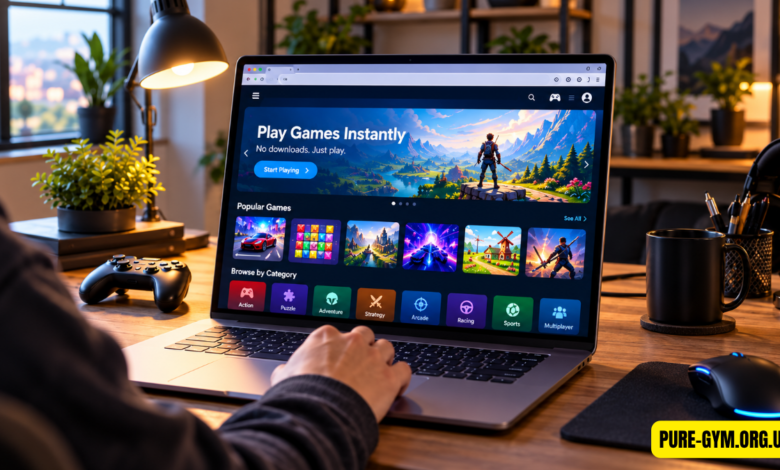
The simplest description is a free browser-game hub. Instead of installing a Windows program, mobile app, or Steam client, players open a webpage and launch games in the browser. The official homepage currently advertises “400+ games” and highlights titles including PolyTrack, N-GON, and Gladihoppers.
That model is familiar to anyone who has used browser-game sites: low friction is the product. A student with a basic Chromebook does not need 20 GB of free storage just to try a casual racing or puzzle game. Open a page, play for ten minutes, and close the tab.
The distinction is that this project grew closely around the “unblocked games” ecosystem. Its public GitHub account links to the official domain, and the Lite repository documents features such as cross-platform support, PWA support, low hosting requirements, and site-wide tab cloaking. That history helps explain why the project is frequently associated with students and managed computers.
Why the Spelling Confusion Matters
The official project spelling is Hypackel, with the letters “el” at the end. The alternate spelling appears frequently in search results, and newer sites sometimes present it as if it were a separate brand.
That creates a real safety problem. If you mistype a banking website, you already know why spelling matters; gaming sites deserve the same caution. A look-alike domain can copy a homepage, add aggressive ads, or prompt visitors to install software that the original service never required.
My rule here is simple: verify the domain before interacting with anything. The project’s current GitHub profile links directly to hypackel.com, and the live website uses the same branding. That is a much stronger chain of evidence than a random article claiming to have discovered an entirely different platform.
What Kinds of Games Are on the Site?
The current homepage leads with three games that show the range fairly well. PolyTrack is a precision racing game built around polygonal tracks. N-GON is presented as a minimalist puzzle-platform experience, while Gladihoppers focuses on ragdoll-style gladiator combat.
The broader appeal is the catalog, not one flagship title. Players can jump between genres without managing installations, patches, launchers, or storage, which makes the format ideal for short sessions.
Performance still depends on the individual game. A lightweight 2D title may run fine on a $250 entry-level Chromebook, while a WebGL-heavy 3D game can struggle if the machine has limited RAM, weak integrated graphics, or dozens of tabs already open. Browser gaming does not magically remove hardware requirements; it simply removes the installation step.
For smoother play, use a current browser, close unnecessary tabs, and avoid running video streams in the background.
What Is Hypackel Lite?
Hypackel Lite is one of the most interesting parts of the project because it shows how the platform evolved. Its public GitHub repository says the Lite version returned after AWS hosting became expensive. The maintainers moved toward GitHub Pages and specifically mentioned a 3 GB limit, which meant fewer games could be included.
The repository lists a clean interface, cross-platform support, PWA functionality, easy deployment, and low host-resource usage among its features. It also documents tab-cloaking functionality and discusses access from environments where certain domains may be blocked.
That last part deserves context. Tab cloaking can change a browser tab’s title or appearance. It may sound harmless, but using such features to conceal activity from a school, employer, or network administrator can violate acceptable-use rules.
Most guides get this wrong by treating “unblocked,” “safe,” and “allowed” as if they mean the same thing. They don’t.
If a school district blocks gaming sites, the sensible answer is not to keep hunting for a technical workaround. Follow the network’s policy and play through your own connection or personal device when permitted.
Is the Platform Safe to Use?
No website deserves a blanket “100% safe” label, and this one is no exception. The official privacy policy says the service may automatically collect technical and usage information such as IP address, browser and device characteristics, operating system, language preferences, referring URLs, location-related information, and details about how the service is used. It also says cookies and similar tracking technologies may be used.
The policy specifically mentions Google Analytics and says third parties or service providers may use tracking technologies for analytics and advertising. It also warns that external links and advertisements can lead to third-party services whose privacy and security practices are outside the platform’s control.
That is common for ad-supported web services, but the trade is worth understanding: “free to play” does not mean “no data collected.”
Three precautions make sense:
- Stay on the verified domain instead of trusting random mirrors.
- Never download an unknown “special player,” executable file, or extension merely because a game page claims you need one.
- Do not enter personal information into pop-ups or third-party frames unless you independently trust the service requesting it.
The site’s privacy notice also says it does not knowingly collect data from or market to children under 18, while stating that a parent or guardian may consent to a minor dependent’s use. Families should read the privacy terms rather than assuming a website is designed for children simply because it contains games.
Why Browser Gaming Platforms Keep Coming Back
Browser gaming keeps surviving because convenience wins. After Flash faded from mainstream browsers, HTML5, JavaScript, WebGL, and WebAssembly made richer install-free games practical.
The economics also work: web games can be updated centrally, and players avoid large installs or an 8 GB patch before a five-minute session.
The tradeoff is consistency. Games can disappear, links can break, third-party embeds can change, and a site that works perfectly on a home network may be unavailable on a managed network. The GitHub history around the Lite version illustrates this clearly: hosting costs and platform storage limits directly affected how much content could be offered.
That is why I see this project less as a conventional gaming company and more as a web gaming hub whose value comes from aggregation, accessibility, and lightweight infrastructure.
How to Use It Without Creating Problems
For ordinary home use, the process is straightforward: visit the verified site, browse the game library, choose a title, and play through the browser. There is no reason to install mysterious helper software just to access an ordinary browser game.
On a shared computer, sign out of accounts afterward and review browser cookie settings. On a school or workplace device, follow the organization’s rules even if an alternate host happens to load.
That point matters. A website being technically reachable does not make it authorized. If your school blocks gaming during class, finding another address that loads the same content does not change the policy.
FAQs
Is it the same thing as Hypackel?
For gaming searches, usually yes: the documented project and official domain use the spelling Hypackel. Alternate spellings commonly appear in search results, but they can also lead to unrelated or copycat pages, so verifying the domain is worthwhile.
Do I have to download anything to play?
The official homepage says no downloads are required. Games are intended to launch through the browser, so a page unexpectedly asking you to install an unknown executable or “game player” should raise suspicion.
How many games does the platform have?
The current official homepage advertises more than 400 games. That figure is the platform’s own published claim, and the actual library can change as titles are added, updated, or removed.
Does it work on Chromebooks?
Many browser-based games can run on Chromebooks because they rely on web technologies rather than Windows installers. Performance varies by title, though, so demanding 3D games may struggle on low-end hardware even when the site itself loads normally.
Is it okay to use at school?
Only if your school’s device and network policies allow it. The project’s public history includes unblocked-game and tab-cloaking features, but bypassing restrictions or disguising activity can still violate school rules.
The useful thing about this gaming hub is not hype or some mysterious new technology. It is convenience: hundreds of browser games, fast access, and a lightweight web-first format. Stick with the verified project, treat privacy and advertising as seriously as you would on any free gaming website, and don’t confuse “unblocked” with “approved.”